


GBA Emulator: My Retro Gameboy
4.61.23K Reviews
App Specs
- Version
- 2.4.0
- Updated On
- License
- Free
- Downloads
- 1,000,000+
- Developer
- MILKY APPS CO.,LTD
- Categories
- Tools
- Platform
- Android
Screenshots
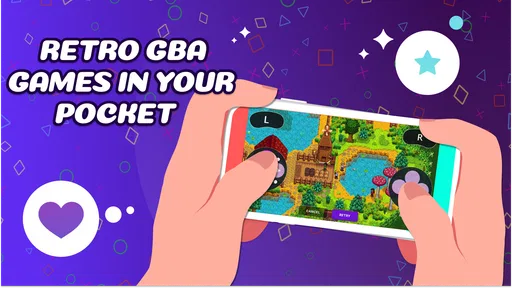
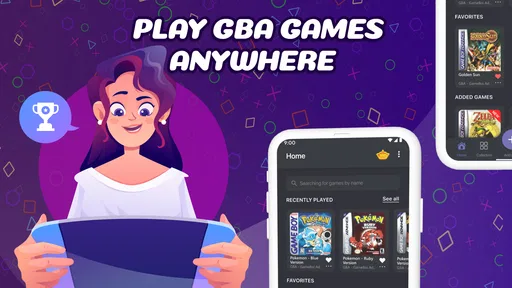
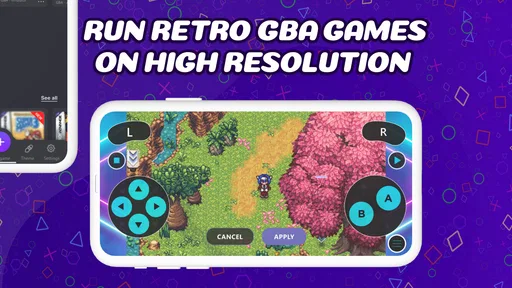
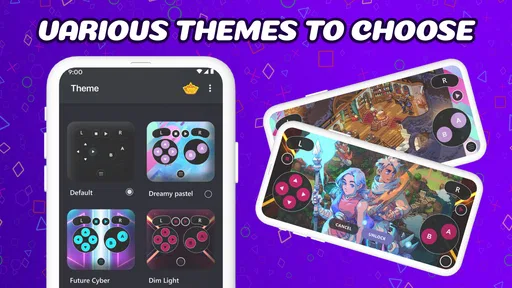
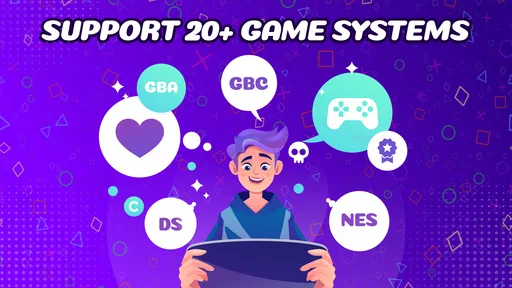
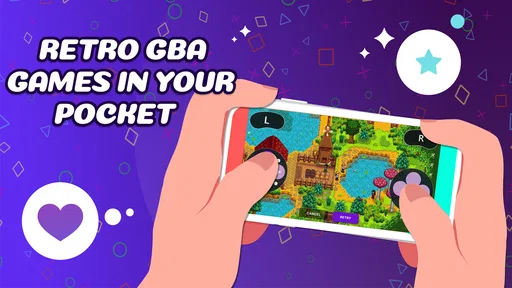
 Analysis by AppCompare
If you’re like me and have fond memories of those chunky, colorful cartridges and the unbeatable feeling of having a Gameboy in your hands, then you'll be thrilled about the GBA Emulator: My Retro Gameboy app. It’s more than just nostalgia wrapped in a digital package; it's a chance to relive the pixelated adventures of our childhood with the convenience of having it all on your smartphone.
Trust, expectations, and what I can judge
I think it helps to approach a retro emulator with clear expectations. The appeal is obvious: familiar games in a portable format, without carrying a separate handheld. But installing an emulator is not the same as receiving a collection of games. You should expect to bring your own game files and take responsibility for using them lawfully. That distinction matters more than nostalgic screenshots or promises of a console-like experience.
The app is a free tools app from MILKY APPS CO.,LTD. Its listing shows an Everyone age rating, a 4.5 average from around 47,000 ratings, and more than a million installs. Those figures suggest that plenty of people have tried it, but they don’t tell me whether a particular game file will work well on your phone or whether the controls will suit your hands. I treat popularity as context, not as proof that every part of the experience will be right for me.
What you should decide before installing
When I consider any emulator, I separate three questions: whether I trust the app enough to install it, whether I understand where my game files come from, and whether I’m comfortable managing progress inside an emulated setup. I can’t responsibly turn uncertainty into claims about permissions, tracking, or account features. Instead, I recommend checking the permission prompts shown on your own device and reading the choices presented during installation. If a prompt seems unrelated to what you want to do, pause and decide whether to continue.
The same care applies to ROMs. A file being easy to find online does not automatically make downloading it lawful. I’d use only game files I have the right to use, and I would avoid sites that make their terms unclear or push unexpected downloads. Keeping the emulator and game files separate in your mind is useful: the app provides the playback environment, while the source and legality of each game file are a separate responsibility.
There is also a practical privacy habit worth adopting with any app that opens files: check what you select before confirming, and avoid granting access more broadly than you need to. On Android, review the permissions in system settings if you want to revisit them later. I wouldn’t assume that an emulator needs a particular permission without seeing the request on my device, and I wouldn’t treat a missing detail as reassurance either. A cautious install is simply one where I understand each visible choice before making it.
What’s the Deal with GBA Emulator?
So, let’s dive right into what makes this emulator tick. The GBA Emulator: My Retro Gameboy isn’t just any emulator floating around the app stores. It’s designed to bring back the authentic Gameboy experience, all while adding a touch of modern-day tech to enhance gameplay. You get to play those timeless classics on both Android and iOS, and trust me, it’s as smooth as butter.
Worth Reading Before You Choose

EA SPORTS FC Mobile 26 Is a Bigger Football Game, but It Takes Time

Flipboard Shows What News Apps Must Do Beyond the Feed

Switching to Android Auto Means Rethinking Your Driving Routine

Google Calendar Makes a Crowded Week Easier to Manage

Ludo King Makes the Most of the Minutes Between Plans

Baby Panda World Brings Quick Play to Modern Phones, but Its Game Library Feels Busy
Setting Up and Getting Started
Setting up the app is a breeze. Once you download it, you’ll be greeted with a straightforward interface that even your grandma could navigate. It’s user-friendly and, most importantly, doesn’t bombard you with ads right off the bat. You just load your ROMs, and you’re ready to dive into the world of Pokémon, Mario, or whatever floats your retro boat.
Speaking of ROMs, a quick tip: Make sure you own the games you’re downloading ROMs for. It keeps everything above board and supports the original creators. Plus, it’s always fun to dust off those old cartridges and reminisce.
A realistic first session
For a low-stress first try, I’d pick one game file I’m entitled to use rather than importing a whole library at once. That makes it easier to see whether the file is recognized, whether the on-screen buttons feel comfortable, and whether the display is readable on my phone. If something goes wrong, there is only one new variable to troubleshoot. Once I know the basic routine works, I can decide whether it’s worth organizing more games.
This approach is especially handy during an ordinary commute or a quiet break. I can play for a few minutes, save at a sensible point, and put the phone away without needing to set up a dedicated handheld. The trade-off is that a touchscreen does not provide the same physical feedback as buttons. I’d expect platform games that demand precise timing to feel less natural than slower adventures or turn-based battles, even if the emulator itself runs correctly.
Before relying on a save, I’d test the workflow with progress I can afford to lose: make a save, leave the game, reopen it, and check whether I return where I expect. That small test is more useful than assuming every save method behaves identically. It also helps distinguish a convenient quick-save feature from the game’s own in-game saving, which may serve different purposes.
Performance: Does It Really Hold Up?
Now, onto the meat and potatoes – performance. I was skeptical at first, wondering if it could run my favorite games without hiccups. But, lo and behold, the GBA Emulator: My Retro Gameboy delivers. Games run smoothly, with no noticeable lag or stutter. The controls are responsive, and you can even customize them to suit your gaming style. It’s like having a tiny gameboy in your pocket, but with the perks of modern technology.
Controls, comfort, and the phone you use
Customizable controls are useful for more than personal taste. I’d move the buttons away from the edges where my palms might brush them, then try a short section of gameplay before settling on a layout. A screen arrangement that feels fine while standing may be awkward when holding the phone with one hand, so I’d test in the position I actually plan to play. If the controls cover a key part of the action, shifting their placement can matter more than changing their size.
There’s an unavoidable compromise here: virtual buttons share space with the game image. A larger control layout can make inputs easier to hit but leave less room to see; smaller buttons preserve the view but may cause missed presses. I’d favor comfort and reliable inputs over trying to make the screen look exactly like a handheld. If physical buttons are central to your enjoyment, a dedicated controller or original hardware may suit you better than touch controls.
Features that Stand Out
What really sets this emulator apart is its feature list. Here are some highlights:
- Save States: No more losing progress! Save your game at any point and come back to it whenever you like.
- Cheat Codes: Feeling nostalgic isn’t enough? Add some extra fun with cheat codes. Remember those days?
- Link Cable Emulation: Yes, you heard it right. You can emulate link cable functionality and trade Pokémon or battle with friends just like the old days.
- Customizable Screen Layout: Resize and reposition controls to fit your device and comfort.
Useful trade-offs in the extra tools
Save states are a particularly practical feature when I’m playing in short bursts. They let me pause at a point that suits my schedule instead of searching for the next in-game checkpoint. I would still use a game’s normal save system when possible; a quick state is best treated as a convenience, not as my only copy of progress. Keeping both habits reduces the chance that one interrupted session becomes a frustrating setback.
Cheat codes can make an old game more approachable if I’m returning after years away or simply want to explore without repeating a difficult stretch. They can also change the balance that made the original satisfying. I’d keep them optional and use them deliberately, perhaps after a first attempt rather than before I know whether I enjoy the game as designed.
Link functionality is appealing if you specifically want the social side of certain classics, but I wouldn’t install an emulator solely on the assumption that every multiplayer setup will be effortless. Compatibility can depend on the game and the way the feature is used. Before arranging a session with a friend, I’d try the relevant setup in advance and agree on a backup plan; it’s a poor fit for a spontaneous meetup if you need everything to work immediately.
Where it fits among the alternatives
Compared with playing on original hardware, a phone emulator is more convenient to carry and can make short sessions easier, but it gives up tactile buttons and the feel of a dedicated screen. Compared with a general-purpose emulator that supports many systems, this app’s focus on Game Boy Advance play may be appealing if that is the specific library you want to revisit. A broader emulator may be a better choice if you want to keep several console generations in one place, while original hardware is the clearer pick for someone who values authentic controls and already has a working device.
There is also a difference between an emulator and a subscription or collection that supplies games. Here, you should plan on providing your own compatible files rather than expecting a ready-made catalogue. That means the experience may be straightforward once everything is prepared, but collecting and organizing lawful files takes effort. If you want to open an app and immediately browse a licensed library, a service built around included games is likely a better match.
Visuals and Sound
The graphics are as retro as you remember, maintaining the charm of the original Gameboy Advance visuals. It doesn’t try to modernize them, which is perfect for purists like me who want the real deal. The sound quality is surprisingly good, capturing the iconic beeps and boops that defined the era. It’s surprisingly immersive for something that fits in your pocket.
Who I’d recommend it to—and who should pass
I’d recommend it to someone who already has lawful game files, enjoys revisiting handheld classics, and is comfortable playing with on-screen controls. It is also a sensible option for a curious newcomer who wants to explore one older game at a time and is willing to learn the small steps involved in loading files and managing saves. The combination of portable play, adjustable controls, and quick save options is most valuable to people whose gaming happens in brief, interrupted sessions.
I’d suggest looking elsewhere if you want a built-in catalogue, dislike touchscreen controls, or expect every old game to work without any setup. It may also be the wrong choice if you only want a polished, licensed way to access classic titles without handling game files yourself. In those cases, a service that includes games or a dedicated handheld offers a clearer route, even if it does not provide the same flexibility as an emulator.
Cost, version, and sensible expectations
The app is free to install, while optional in-app purchases range from $1.99 to $29.99 per item. I’d treat that as a reason to check each purchase screen carefully rather than assuming every useful feature requires payment—or assuming nothing ever does. If you are simply evaluating whether the basic emulator fits your routine, start with what is available without buying anything and make a purchase only if its purpose and price are clear to you.
It was released on May 26, 2024, and the current version is 2.4.0; it requires Android 6.0 or later. I’d check compatibility on the device I intend to use before spending time preparing files. The listed average is 4.5 from around 47,000 ratings, with 967 written reviews. I see that as a substantial pool of public feedback, but I would still make my own decision based on the setup, controls, and game files I actually plan to use.
Final Thoughts
In a world where everything is rapidly evolving, sometimes it’s nice to take a step back and enjoy the simplicity of the past. The GBA Emulator: My Retro Gameboy is a gateway to relive those cherished moments, one pixel at a time. Whether you’re a seasoned gamer or just someone looking to explore the classics, this emulator offers a seamless experience that caters to all.
If you haven’t tried it yet, grab your favorite ROM, download the app, and get ready for a blast from the past. Happy gaming!
My cautious recommendation is to begin with a game file you have the right to use, review the choices your device presents, and test both saving and controls before committing to a long session. For the right person, this is a convenient way to revisit GBA-era play on a phone. For someone who wants included games, physical buttons, or a completely hands-off setup, another route will be less frustrating. That balance is what makes it worth considering without treating nostalgia as a substitute for checking how it fits your needs.
Pros
- Smooth gameplay experience for GBA titles.
- User-friendly interface for easy navigation.
- Supports external controllers seamlessly.
- Customizable on-screen controls available.
- Save state feature for quick progress.
Cons
- Ads can be intrusive during gameplay.
- Occasional frame rate drops on older devices.
- Limited ROM compatibility issues reported.
- No multiplayer feature for linked games.
- In-app purchase required to remove ads.
FAQs for GBA Emulator: My Retro Gameboy
What is GBA Emulator: My Retro Gameboy?
GBA Emulator: My Retro Gameboy is an app designed to emulate the classic Game Boy Advance console on your Android or iOS device. It allows users to play their favorite retro GBA games with enhanced features such as customizable controls, save states, and improved graphics rendering. It's perfect for nostalgia seekers and retro gaming enthusiasts.
Is GBA Emulator: My Retro Gameboy legal to use?
Using the GBA Emulator: My Retro Gameboy itself is legal, as it functions as software to run games. However, downloading ROMs for games you do not own is illegal. Users should only use ROMs for games they have legally purchased. It’s important to respect copyright laws when using any emulator.
What features does GBA Emulator: My Retro Gameboy offer?
GBA Emulator: My Retro Gameboy offers a range of features to enhance the gaming experience. These include customizable on-screen controls, support for external controllers, save states, fast forward functionality, and high-quality rendering options. The emulator also supports cheat codes, allowing for a personalized gaming experience.
Are there any system requirements for running GBA Emulator: My Retro Gameboy?
The GBA Emulator: My Retro Gameboy is designed to work on most modern Android and iOS devices. However, to ensure optimal performance, it’s recommended to have a device with at least 1GB of RAM and a dual-core processor. Check for specific requirements on the app’s download page to confirm compatibility with your device.
How do I install GBA Emulator: My Retro Gameboy on my device?
To install GBA Emulator: My Retro Gameboy, visit the Google Play Store or Apple App Store and search for the app. Ensure you download from a reputable source to avoid malware. Once installed, you can load your legally obtained ROMs and start playing. Follow any additional setup instructions provided within the app to optimize your experience.


